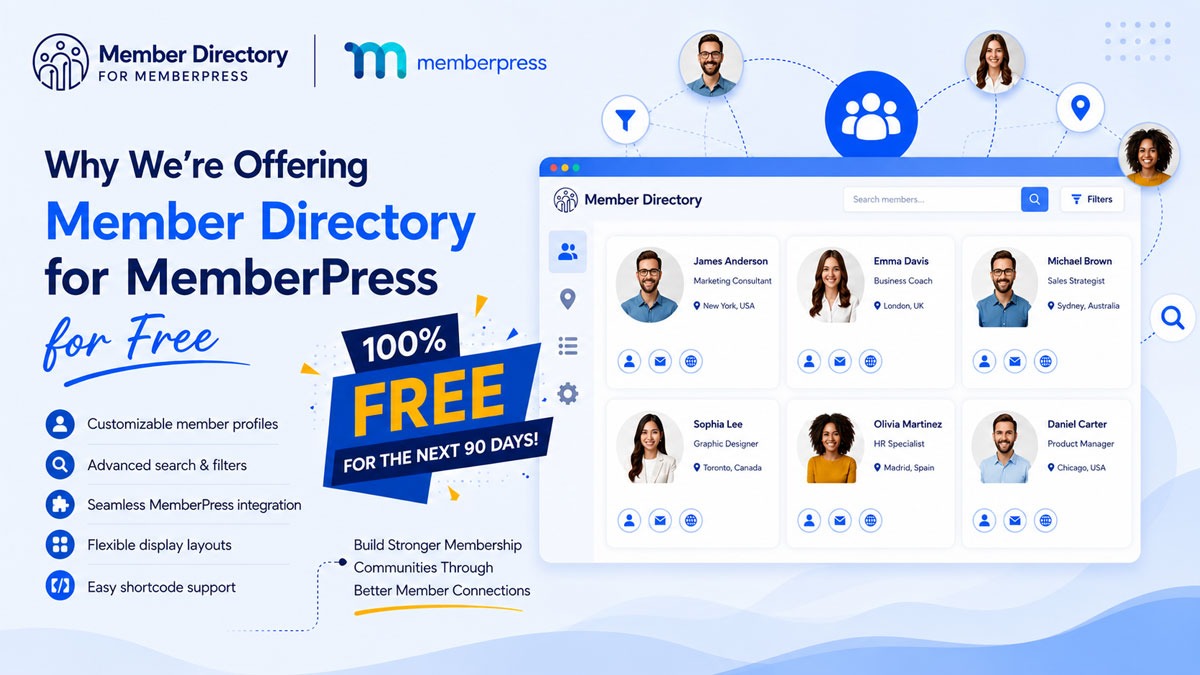
At Member Directory for MemberPress, our mission has always been simple:make it effortless for creators, businesses, and communities to build beautiful, functional member directories without the heavy price tag.Today, we’re excited to roll out one of our most...
Blog
Why We’re Offering Member Directory for MemberPress for Free
August 19, 2026
Written by Pankaj Verma
Over the years, we’ve seen membership site owners invest significant time and resources into attracting new members. Yet many of those same communities struggle with a common challenge: members don’t always know who else is in the community, what expertise they have, or how to connect with them.
That’s one of the main reasons we created Member Directory for MemberPress.
In this article, we’d like to share the story behind the plugin, the challenges we noticed across membership websites, and why we’re currently making it available at no cost for more MemberPress users.
The Challenge We Kept Seeing in Membership Communities
However, many membership sites face a similar problem.
Members join the platform, access the available resources, and then interact very little with other members.
Even when a community has hundreds or thousands of members, finding the right people often becomes difficult. Members may not know:
- Who shares similar interests
- Who works in the same industry
- Who lives in the same area
- Who has the expertise they’re looking for
- Who they can collaborate or network with
Without an easy way to discover other members, valuable connections often never happen.
As a result, engagement can decline over time, and community owners may struggle to deliver the full value their members expect.

Why We Built Member Directory for MemberPress
The goal wasn’t simply to create another directory plugin.
We wanted to create a solution specifically for MemberPress users that would help transform membership websites into more engaging communities.
Our vision was simple:
- Make members easier to discover
- Improve networking opportunities
- Encourage meaningful engagement
- Help community owners create more value for their members
- Keep the setup process simple and manageable
The result was Member Directory for MemberPress, a plugin designed to integrate directly with MemberPress while giving site owners complete control over how their member directories are displayed and managed
More Than Just a List of Members
A true member directory should do much more.
We designed Member Directory for MemberPress to help members quickly find relevant people within a community while giving administrators the flexibility to organize and manage directories based on their specific goals.
For example, site owners can control which user roles appear within the directory, ensuring that only selected members are displayed.
This allows communities to create more focused networking experiences instead of displaying every user on the website.
Features Designed Around Real Community Needs
User Role-Based Directories
Different membership levels, organizations, and communities often require different visibility settings.
Member Directory for MemberPress allows administrators to choose which user roles should appear in a directory, making it easier to organize members and create targeted directory experiences.
This flexibility helps maintain a cleaner and more relevant directory structure.
Flexible Member Profiles
Some organizations want to display professional information, while others may prefer to highlight locations, expertise, certifications, or custom profile fields.
The plugin allows administrators to control which profile information appears on the front end, manage field visibility, and customize how member information is displayed.
It also supports importing MemberPress fields and displaying custom user data directly within member profiles.
Advanced Search and Discovery
The plugin includes filtering and search capabilities that help users navigate large communities more efficiently.
Members can browse profiles, locate relevant connections, and discover people who share similar interests or backgrounds.
Multiple Layout Options
That’s why Member Directory for MemberPress includes multiple directory layout options that administrators can select and apply based on their preferences.
Whether you’re building a professional association directory, a coaching community, or a private network, you can choose a layout that fits your brand and user experience goals.
Google Maps Integration
The plugin includes Google Maps functionality that can display member locations when address information is available.
This can be particularly useful for:
- Local business networks
- Professional associations
- Regional chapters
- Industry groups
- Event-based communities
By making member locations easier to view, communities can create stronger local connections and networking opportunities.
Multiple Directories for Different Purposes
Each directory can have its own settings, visibility rules, layouts, filters, and shortcode.
This means organizations can create separate directories for:
- Different membership levels
- Regional chapters
- Professional categories
- Industry groups
- Specialized communities
Without affecting other directories on the website.
This level of flexibility allows membership sites to scale as their communities grow.
Why We’re Offering It for Free
When developing Member Directory for MemberPress, our primary goal was never simply to release another plugin.
Our goal was to help membership communities become more connected and valuable.
Making the plugin available at no cost right now allows more MemberPress users to experience its benefits, implement it within their communities, and see how a member directory can improve engagement.
It also gives us the opportunity to learn from real-world communities, gather feedback, and continue improving the product based on how organizations use it.
The more communities that use the plugin, the better we can understand the needs of MemberPress site owners and continue enhancing the platform.
Who Can Benefit Most?
Professional Associations
Coaching Communities
Nonprofits and Organizations
Mastermind Groups
Private Membership Communities
Getting Started Is Simple
The plugin includes a guided setup process that helps administrators configure directories, choose layouts, manage fields, and generate the necessary shortcode for displaying directories on their website.
Once configured, the directory can be added to a page and customized to match the needs of the community.
For organizations that need multiple directories, each directory receives its own shortcode and independent settings, making management straightforward even as the community grows.
Getting Started Is Simple
They grow when members can easily discover one another, build relationships, share knowledge, and participate in meaningful conversations.
That’s the vision behind Member Directory for MemberPress.
We’re making the plugin available to more MemberPress users because we believe stronger communities create better membership experiences for everyone involved.
If you’re looking for a way to help members connect, improve engagement, and unlock more value from your membership website, Member Directory for MemberPress is built to help you do exactly that.
Ready to Strengthen Your Membership Community?
Community is not just about
being together physically
Articles
Related Articles
Our Path to Enhancing Membership Management From Version 1.0 to Our Latest AI Assistant
At Aspire Digital Solutions, we are passionate about creating cutting-edge membership websites for entrepreneurs, small business owners, and community organizers alike. Our latest innovation, the AI-Enabled Member Directory, showcases our dedication to pushing the...
Why We Offer 10 Free Licenses: Empowering Communities and Fostering Success
At AgencyPortal, we believe in the power of action and community to create a better workplace. Our mission is to help others achieve their goals by being of service and helping build strong, supportive communities. It is with this mission in mind that we are excited...


0 Comments